
Deasy Document Sets
A document set is a group of documents defined by a tag-filter condition, cataloged as aDeasy Document Set asset in Collibra’s Data Sources domain. The asset carries profiling attributes computed from the underlying files and a deep link back to Deasy.
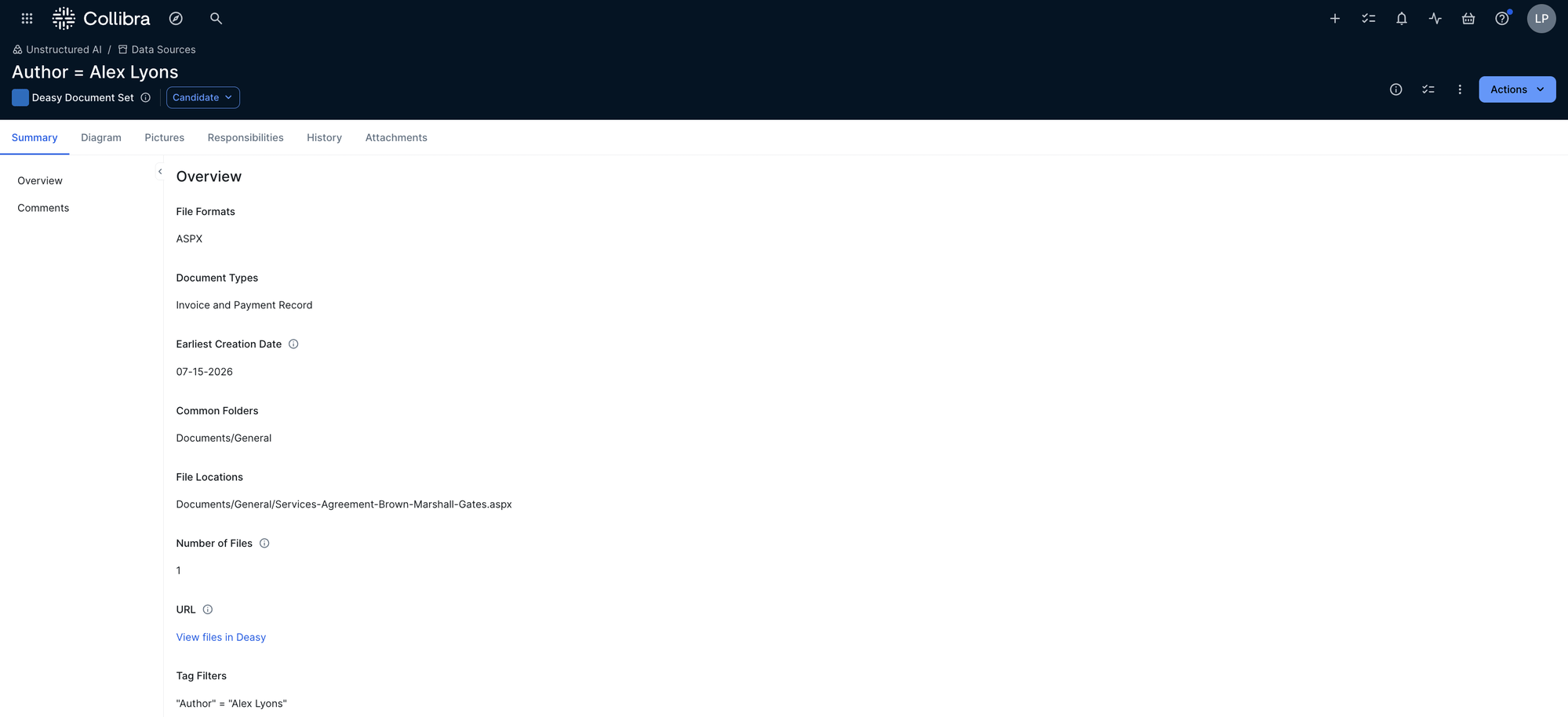
A Deasy Document Set asset in Collibra, defined by the tag filter Author = Alex Lyons
Document sets follow Collibra’s asset lifecycle (for example
Candidate), so governance teams review and approve them like any other asset.
Tag Definitions in the Deasy Glossary
Every tag becomes aTag definition asset in the Deasy Glossary domain, so the vocabulary used to classify unstructured data is itself governed. The asset carries the tag’s full extraction instruction, its constraints, and its group (OOB for the platform’s built-in tags).
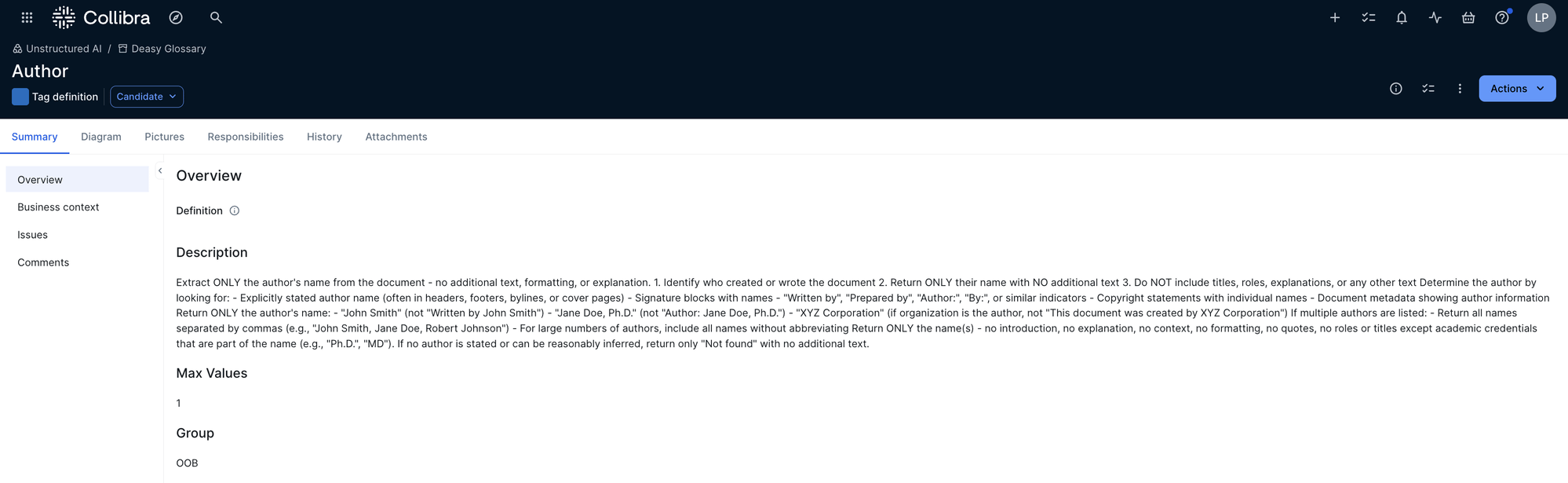
The built-in Author tag cataloged as a Tag definition asset in the Deasy Glossary
Tag definitions can also flow the other way: standards defined in Collibra import into Deasy as tags, carrying their Collibra identity (
collibra_asset_id, collibra_domain_id) and governance metadata (record codes, retention periods, dispositions) with them. See Taxonomies and Tags.
How the Integration Works
1
Catalog the vocabulary
Tag definitions land in the Deasy Glossary domain, whether they originate in Deasy or import from Collibra standards.
2
Classify and curate in Deasy
Run classification and build the tag-filtered sets your use cases need. Every extraction carries values, evidence, and confidence.
3
Catalog the document sets
Curated sets publish to Collibra as Deasy Document Set assets with their profiling attributes and a live link back to the files in Deasy.
Why It Matters
Unstructured documents are invisible to most governance programs. With document sets and tag definitions cataloged, governance teams see what document collections exist, how they are defined, and which vocabulary describes them, with the same lifecycle, responsibilities, and audit trail as any governed asset, and one click back to the live data in Deasy.Next Steps
Integrations Overview
All sources, destinations, and file types in one place.
Taxonomies and Tags
Tag definitions, governance metadata, and strategies.